I’m swamped with work, with big projects that hardly give me any space to do a hobby development on the side, but I still manage to slowly do some progress.
I plan a series of posts transparently sharing all about the process of creating, promoting and making money doing these hobby projects. I will not talk a lot about active client and private startup projects in this series, unless if it’s a promotional thing. :)
I started working on mini projects to:
– create very small revenue streams
– learn new programming languages and expand knowledge on existing ones
– be useful, fun and innovate when possible
– share the experience with others
Even though I had a slow start – I managed to actually learn Corona SDK framework, learn Lua language (my favorite after JS), publish a game and create a productivity app – in just a few weeks of development (months in timeframe).
Why Corona SDK and Lua language?
Well, as I stated above, I wanted to learn something new but also something I could use for years, not just “try and forget”. Lua is awesome, screw the complicated “powerful” low-level languages, takes a ton of time to develop a calculator or even a game. With Lua, you learn as you go and is so simple it’s like you already know it. It takes hours, not days to build something useable. Corona SDK has a ton of advantages for building mobile apps/games and maybe just a few tiny disadvantages.
Corona SDK: https://coronalabs.com
Rocket Launcher – Going Interstellar
 And this is what I first did with Corona. I wanted to build a shitty game and challenge myself with features, so I decided to integrate: real physics, iAd & later AdMob for ads, iOS Game Center for leaderboards, Flurry analytics, sounds, composer for screen management, support for different screen sizes and much more less noticeable stuff.
It took me a week to learn Lua, get familiar with Corona SDK and build the first playable version – a freakin’ week! So yeah, I’m pumping up my Sublime editor with plugins and marrying Corona SDK :) What’s even cooler, Corona was pretty limited for free users, but they got acquired by Fuse Powered Inc. and they made a $200 Pro plan free! Fuck yeah :)
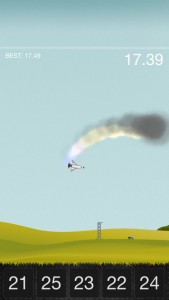 I was trying to be smart by adding “Going Interstellar” in the game’s name, few months prior the premiere of the Interstellar movie. Guess what, the hunch was right! At times I got spikes with over 500 downloads a day, and months after it’s still stable at 20-30 downloads a day. I guess the game is not that shitty after all. :)
Ads in games can be really annoying and irritating for players, but I still wanted to test it and earn something along the way. That’s why I’ve put the ads on top, showing only when there’s no game action happening at the top half of the screen. With all the players (a bit less than 10k) I have a steady daily piggy bank income, it’s quarters but still – a few dozen of projects like this and I don’t have to do anything to make a living. But screw living, I’m an entrepreneur. I’m not doing it for money, it’s fun – that’s all.
Download: Rocket Launcher – Going Interstellar
QckMail – Send Quick Reminders To Your Email
 This time I decided to build something I needed and still learn something new. I just bought a new Android phone so I can test Android builds, and for the first time ever, along with the iOS version, I’m publishing an Android one too. This wouldn’t be possible without the Corona SDK – a simple framework for iOS, Android and Windows, same code, multiple platforms.
It took me less than a week to develop this app. Still waiting Apple to review the app at the moment of writing this. I’ll keep updating my blog with all the progress and experiments I do. Expect download and sales numbers. Testing “Tier 1” this time, that’s $0.99 to be exact.
Download: QckMail – Send Quick Reminders To Your Email
There’s much more, more projects and more experiences to share. But that’s it for now, keep checking back for new interesting updates. Cheers!

 We at
We at